Registration & Updates
RunScore is free to use. No purchase is required. To unlock all features, you simply need to register your copy: a quick, one-time step that takes less than a minute.
Registering RunScore
Registration links your installation to a License Name and License Key. When you sign up for the first time, the license key is copied to your clipboard. Save it locally so you can register your other computers.
First-time registration
Use this flow on your main scoring computer, the first machine where you install RunScore.
- Open RunScore Server (double-click the RSServer icon on your desktop).
- From the menu bar at the top of the window, click Help.
- Select Sign Up Form.
- Fill out the form and click Sign Up.
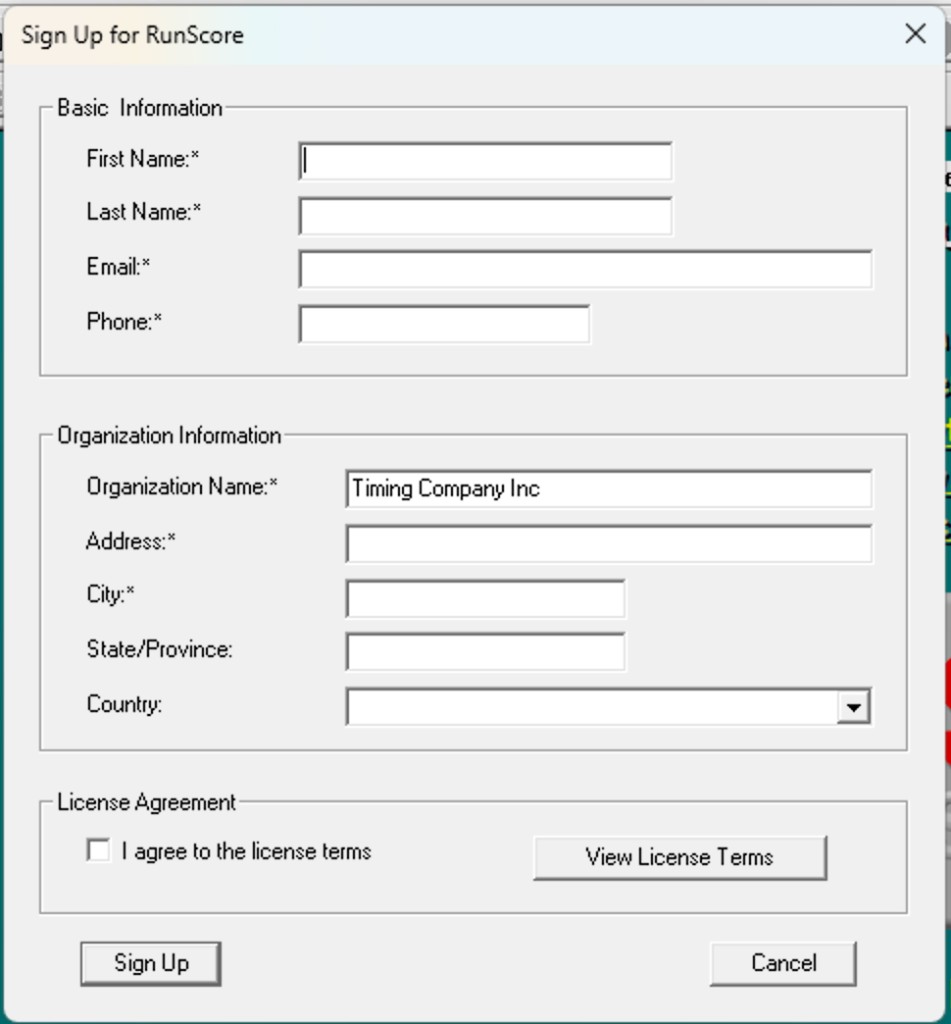
After you submit the form, a confirmation popup appears and the license key is copied to your clipboard. Save the key locally for use on other computers.
- Restart RunScore.
After restart, this computer is registered automatically. No further steps are needed on the machine where you signed up.
Register on additional computers
If you already have a registration key for RunScore version 9 or later, use this flow on every other computer in your setup.
- Open RunScore Server (double-click the RSServer icon on your desktop).
- From the menu bar at the top of the window, click Help.
- Select Register RunScore.
- In the dialog that appears, enter your License name and License key (the values you saved from your first computer).
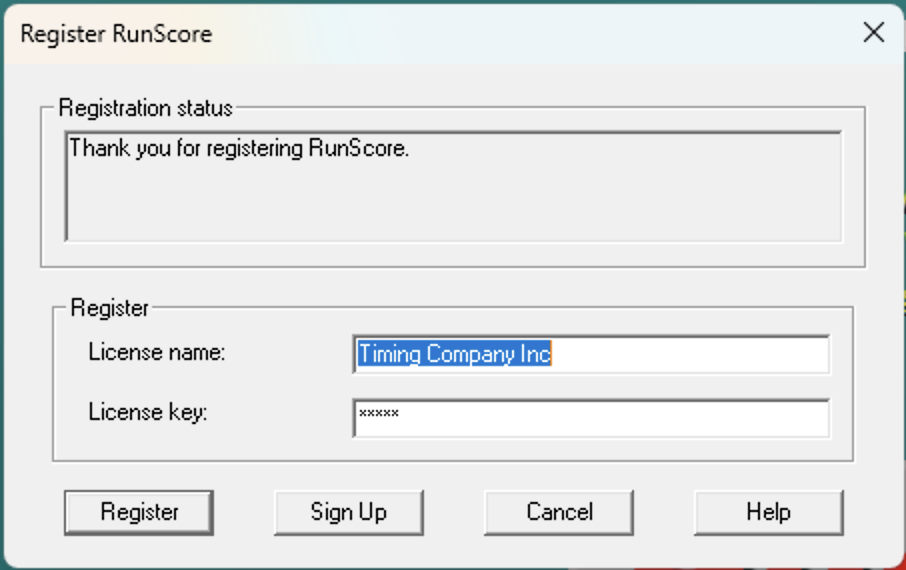
Even a single character difference, such as an extra space, different capitalization, or a missing dash, will prevent activation. Copy and paste directly from where you saved your key to avoid typos.
- Restart RunScore.
Once registered successfully, all RunScore features are fully unlocked. The registration is permanent for your installed version. You won't need to re-register after restarting the program.
Keeping RunScore up to date
The RunScore development team continuously improves the software — fixing issues, adding new features, and refining existing tools. Updates are always free and the latest version is always available on the RunScore website.
- Updates are cumulative — installing the latest version always brings you fully up to date; you don't need to install intermediate versions one by one.
- Staying current matters — newer versions often include important bug fixes and workflow improvements that make your events run more smoothly.
It only takes a minute to visit the RunScore website and compare your current version (shown on the main RunScore screen) with the latest available download.
Now that you're registered and up to date, let's get familiar with the RunScore workspace. Head to Workspace Overview.