Runtime Validator
The Runtime Validator (RV) helps identify issues during runtime in listing files, race configurations, or participant imports. For example, a listing file may not execute data as intended — a command like LINE FEED may appear to work while actually accessing memory beyond its allocated range. Problems like these can lead to program crashes, data corruption, and potential security vulnerabilities.
RunScore 8.4.1 and later is programmed to terminate if it finds these problems. It is highly recommended to run listing files prior to the race and to review the logs for any issues. The RV uses the status bar to alert you about detected problems. Each problem has a unique code that appears in the Event Codes table, along with a description of how to fix it.
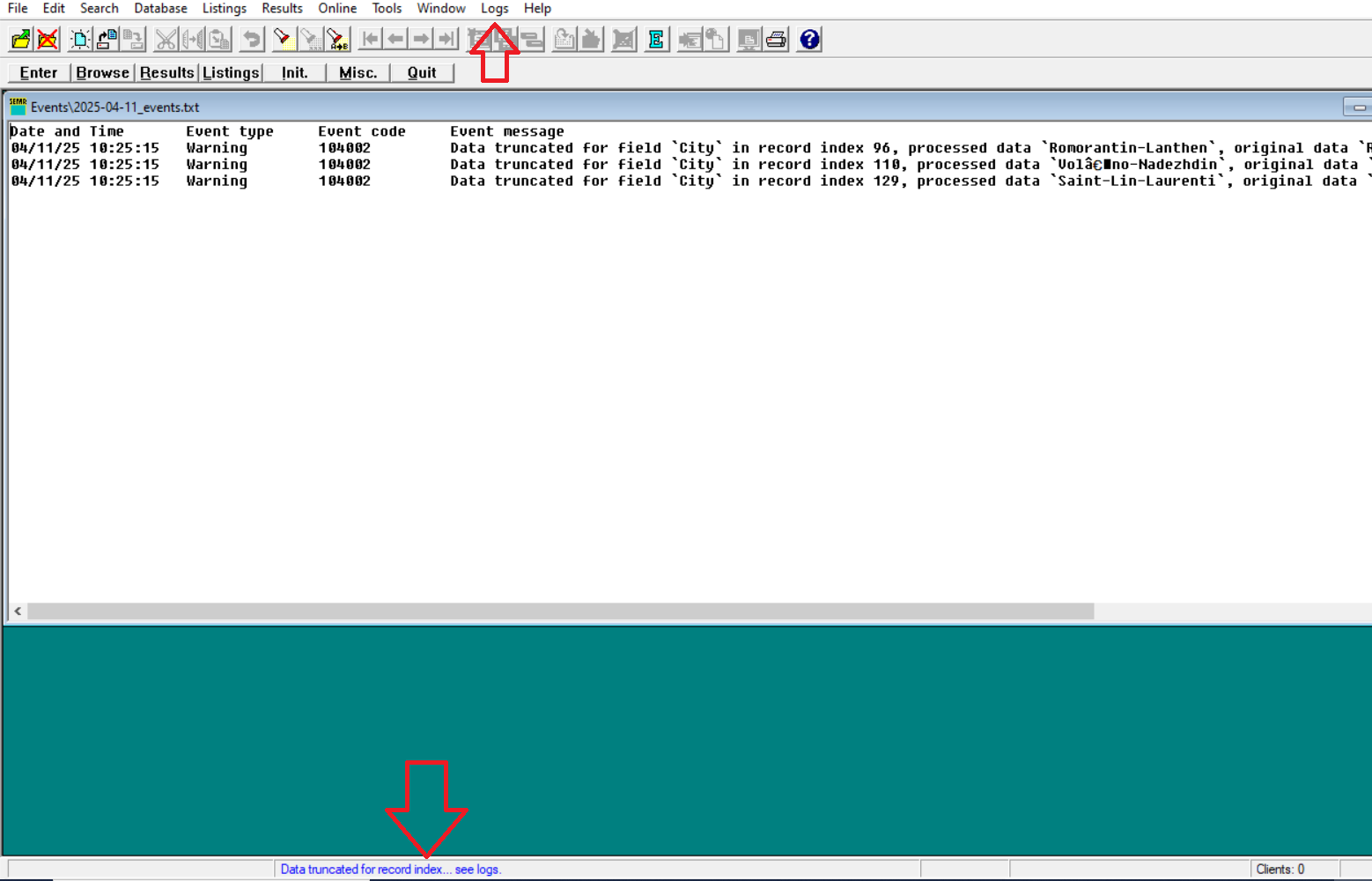
A common example is when data gets truncated during online downloads.
Enabling and disabling Runtime Validator
The Runtime Validator checkbox is enabled when you first install RunScore. To turn it on or off, open Tools → Preferences and check or clear Runtime Validator.
The event log itself is viewed and cleared from Logs → View/Clear Event Logs on the top menu bar.
Run your listing files and review participant imports ahead of time. Runtime Validator warnings are easiest to fix before the event starts.
In this section
| Page | Description |
|---|---|
| Event Codes | Reference table of RV event codes and how to resolve each issue |
| How to Allocate Space | Fix bib and time mismatch errors when import record counts exceed event capacity |
| How to Resolve Parameter Count Mismatch | Fix RSM calls that supply fewer parameters than the macro expects |