Macsha
Macsha's One4All system is a chip/tag (RFID) protocol, not a clock. It's documented here under External Timers — not Chip/Bib Timing — to match the Macsha entry in the Device dropdown and the built-in Help. (Carmen is placed here for the same reason.)
Setup
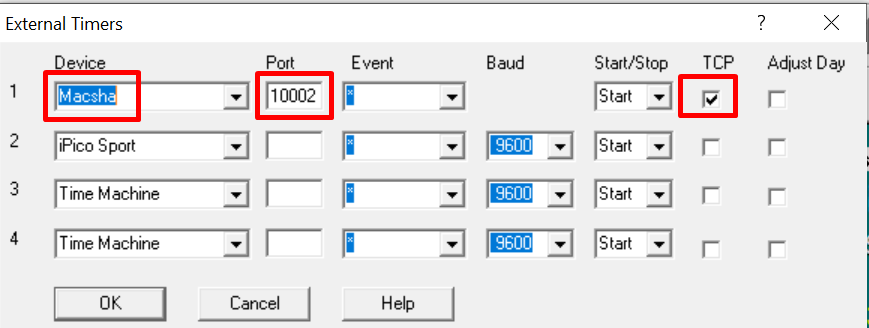
Open the Initialize External Timers dialog, then on an empty slot (one of the numbered device rows):
- Set Device to
Macsha. - Set Port to
10002. - Check the TCP box.
RunScore then prompts for the One4All ID (0–15) for that decoder:
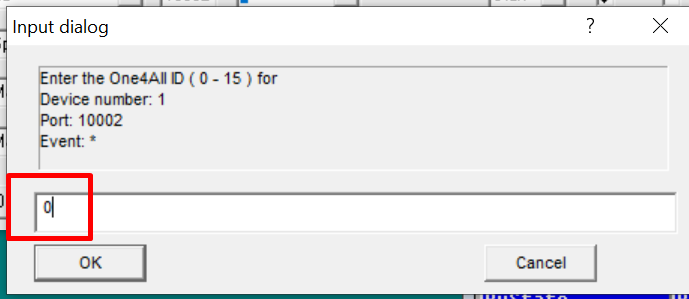
Each ID maps to a fixed IP address on the network: 192.168.1.(10 + ID) — for example, ID 0 is 192.168.1.10 and ID 15 is 192.168.1.25.
| One4All ID | IP address |
|---|---|
| 0 | 192.168.1.10 |
| 1 | 192.168.1.11 |
| 2 | 192.168.1.12 |
| 3 | 192.168.1.13 |
| 4 | 192.168.1.14 |
| 5 | 192.168.1.15 |
| 6 | 192.168.1.16 |
| 7 | 192.168.1.17 |
| 8 | 192.168.1.18 |
| 9 | 192.168.1.19 |
| 10 | 192.168.1.20 |
| 11 | 192.168.1.21 |
| 12 | 192.168.1.22 |
| 13 | 192.168.1.23 |
| 14 | 192.168.1.24 |
| 15 | 192.168.1.25 |
Connection behavior
RunScore is the TCP client for Macsha — it connects out to the One4All decoder's IP address above, port 10002. RunScore never listens for Macsha to connect in.
Once connected, RunScore:
- Sends
PUSHTAGS; trueto switch the decoder into push mode. - Waits for both a
HELLO_message and aPUSHTAGSacknowledgment from the decoder (order doesn't matter — they may arrive separately or concatenated). - Sends
STARTto begin receiving passings.
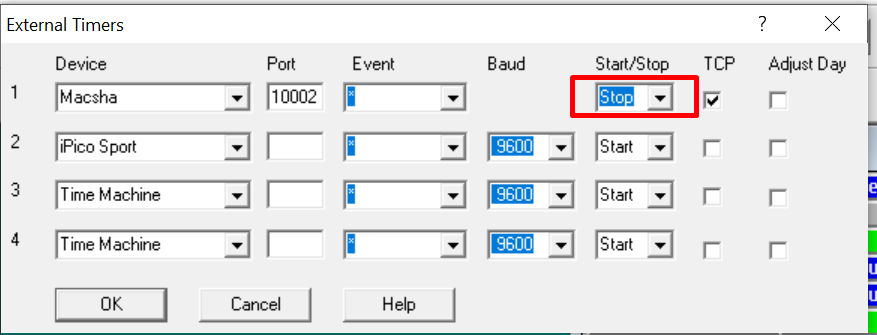
When you stop the slot (or remove it), RunScore automatically sends STOP to shut the connection down cleanly — this isn't a manual step:
Incoming data
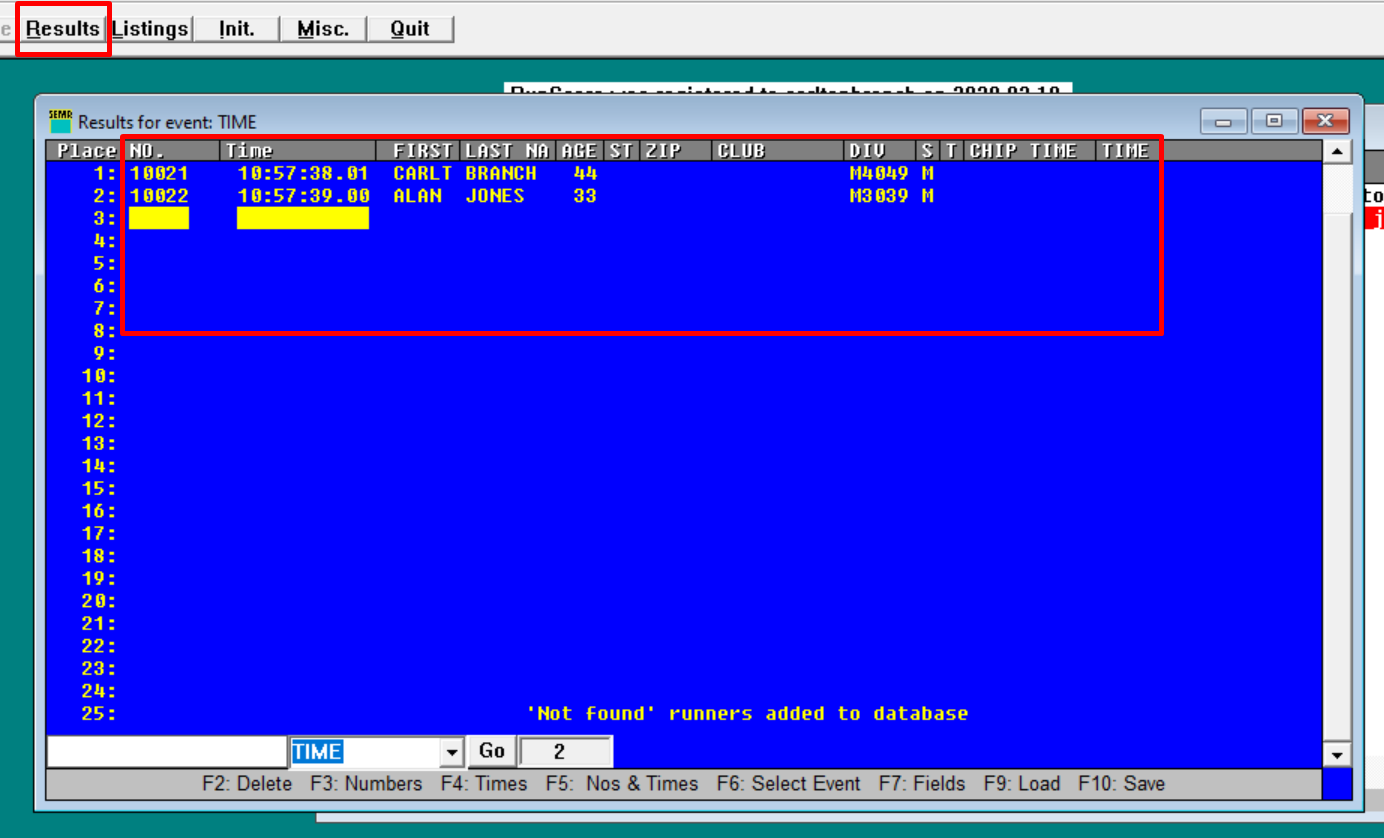
Once passings start arriving, they show up in Enter/Edit Results like any other timer:
Each passing record is semicolon-delimited:
<PassingNo>;<TimerCode>;<ChipNumber>;<Date>;<Time>;<Antenna>;<SeenCount>;<EPC>;...;<Checksum>
RunScore only reads two fields:
- ChipNumber (field 3) is used directly as the bib number — there's no separate chip-to-bib lookup for Macsha, so a runner's chip number must match their bib number in the database.
- Time (field 5) — RunScore accepts both time formats Macsha has used:
h:m:s.fff(version 3.1+) andh:m:s,fff(version 3.0). Sub-second precision is milliseconds (3 digits, e.g.10:01:20.005); RunScore rounds up to hundredths internally.
Because the chip number is treated as the bib number, an unrecognized chip/bib is handled the same way as any other timer. If NOT FOUND ADDED is enabled (see Results Options), RunScore adds the runner to the database automatically — shown above as 'Not found' runners added to database.
If you hand-edit an exported timer JSON file (see Import and Export), Macsha's internal device code is MACSCHA, not MACSHA.
Reference
Macsha publishes their One4All protocol documentation at help.macsha.com.